How to Set Up a Cookie Consent Banner That Doesn't Kill Your Conversions
How to design a cookie consent banner that wins more opt-ins without dark patterns: layout, wording, DPDP and GDPR rules, and what to test first.

TL;DR
You can raise your consent rate without tricks, but not to the "72-82% for compliant banners" quoted around the web; that figure doesn't come from any study I know of. Clear wording, equal-weight Accept and Reject buttons, consent asked in context and one-change-at-a-time testing all work within the law. Making refusal harder than acceptance is what regulators have actually fined: in January 2022 France's CNIL fined Google €150m and Facebook €60m because google.fr, youtube.com and facebook.com didn't let people refuse cookies as simply as accept them. Pre-ticked boxes and cookie walls with no real alternative don't produce valid consent either.
- Fix the wording first. It's the cheapest test and the safest.
- Never test whether to offer Reject. Test how it looks next to Accept.
- Ask for video, chat or ad cookies when the visitor uses that feature, not all at once on arrival.
- Set Google Consent Mode defaults to "denied" in regions where you show a banner, and decide Basic or Advanced mode with your lawyer, not your ad agency.
- Measure reject rate and revenue per session by banner version, and keep a receipt for every choice.
Why your banner feels like a trade-off
Your growth team wants the cookie consent banner gone or reduced to a tiny "OK" in the corner. Your legal team wants a Reject button as big as Accept. Every percentage point of consent you lose is a point of attribution data you don't get back, so the banner becomes a fight between two teams that are both partly right.
Most of the web has settled that fight on the growth side. In a March 2025 study of 254,148 websites across 31 countries, researchers found that 67% used a consent interface but only 15% met a minimal compliance threshold: Accept and Reject on the first layer with similar prominence, no pre-checked purposes, and per-purpose controls.
So you're probably looking for the criteria that matter when the number one goal is a higher consent rate (and the conversions that depend on it) without legal risk. Here you'll get what the law lets you change, five steps in the order I'd run them, how to measure the result, and the one test to start this week.
Why most banners lose either consent or compliance

People click whatever is easiest. The study found that roughly 60% of consent interfaces have no Reject option on the first screen, and that on average Accept is designed to be 1.5 times more visible than Reject. The user studies it reviews show what that buys you. Removing Reject from the first page raised acceptance from 55% to 77% in one experiment and from about 60% to 90% in another.
Those are the numbers behind most "boost your consent rate" claims, including the 31% average and the 72.5% to 82% for compliant banners you'll see repeated; neither is in the study usually cited for them. The removal experiments measure hiding Reject, the design choice a large majority of EU regulators treat as unlawful.
Compliant banners do get lower consent rates. The same research found that per-purpose choices on the first screen lower consent, even though very few people (1.3% to about 3% in the studies cited) touch the toggles.
Accept that a compliant banner will get a lower consent rate than a dark-pattern banner, then win back what you can with wording, timing and measurement.
What the law lets you test

The most useful document here is the EDPB Cookie Banner Taskforce report, adopted on 17 January 2023. It records where EU authorities agreed and where they said "case by case". France's CNIL goes further in its amended guidelines and recommendation of 17 September 2020: refusing must be as easy as accepting, it recommends a "tout refuser" (reject all) button, and simply continuing to browse no longer counts as consent.

India's DPDP Act doesn't mention cookies at all, and neither do the DPDP Rules, 2025. But a cookie that identifies a person collects personal data, and the Act's consent test is strict: Section 6(1) requires consent to be "free, specific, informed, unconditional and unambiguous with a clear affirmative action", limited to the data necessary for the purpose. Section 6(4) requires withdrawal to be comparable in ease to giving consent. There's no general legitimate-interest ground to fall back on.

Rule 3 adds the notice: understandable on its own, an itemised description of the data, the specific purpose, and a link to withdraw consent, exercise rights and complain to the Board. Rule 3 applies from 13 May 2027. Read together, here's what I'd treat as fixed and what I'd test:
| Design choice | GDPR / EDPB view | DPDP view (my reading; the Act and Rules don't mention cookies) | Safe to test? |
|---|---|---|---|
| Reject on the first layer | A large majority of authorities treat no reject option on any layer with an accept button as an infringement; CNIL recommends "reject all" | Not named; consent must be free and withdrawal comparable in ease to giving it (s.6(1), 6(4)) | Don't test removing it. Test its label and position |
| Reject as a text link | Not valid without enough visual support | Not named; same risk in my view | No |
| Pre-ticked boxes | Not valid consent | Fails "clear affirmative action" (s.6(1)) | No |
| Button colour and contrast | Case by case; unreadable contrast is "manifestly misleading" | Not named | Yes, if both buttons stay clearly legible and similar in weight |
| Wording of the banner and buttons | Must say what the consent is for | Clear and plain language, in English or an Eighth Schedule language (s.6(3)) | Yes |
| Position and format (bar, modal, corner) | Mustn't suggest consent is needed to see content | Not named | Yes |
| Contextual prompts (ask on first use of video or chat) | Consent before the cookie is set | Consent for a specified purpose | Yes |
| Cookie wall | EDPB: not valid consent (Guidelines 05/2020, paras 39-41); CNIL: case by case, needs a real, fair alternative | Consent must be "unconditional" | Only with legal sign-off |
| Withdraw link or icon | Required to be easy; a floating icon is suggested, not mandated | s.6(4); Rule 3 link from 13 May 2027 | Test placement only |
| Labelling ad or analytics cookies "essential" | Flagged; controllers must be able to justify every "essential" cookie | Not named | No |
The DPDP column is my reading of the Act. No Indian authority has issued cookie-specific rules yet, so until one does, design to the Act's consent test. For the GDPR side in more depth, see our guide to GDPR-compliant cookie banners, and if you need the basics first, what cookie compliance is and why it matters.
If conversion is your number one goal and legal risk is off the table, here are the criteria I'd prioritise for a cookie consent banner, in order:
- A Reject option on the first layer. This one isn't negotiable.
- Clear wording on the banner and its buttons.
- Equal visual weight for Accept and Reject.
- Contextual prompts for embedded video, chat and maps.
- Versioned consent records, so you can measure each test and defend it.
Step 1: Fix the wording
Wording is the cheapest change you can make and, if it's honest, the hardest for a regulator to object to.
Start with the headline. "We value your privacy" tells the visitor nothing. Say what you want and why: "Can we use cookies to measure our ads and improve the site?" Then name the purposes in plain words, not "partners" and "legitimate interest".
The study found that 27% of reject options use "Accept necessary" or a similar label. Against expectations, one study it cites found that ambiguous wording like "only necessary cookies" raised rejection, possibly because people feared losing functionality, while a plainly labelled "reject" was used less. So "Reject all" is the clearer label and may not cost you consent. Test it. On the accept side, the research found no difference between "Okay" and "Allow all cookies".
What you can't do is frighten people. Labels warning that refusing will "degrade your experience" cut rejection, which is exactly why I wouldn't ship them.
If your audience reads Hindi, Tamil or Bengali, offer the banner in that language. The DPDP Act requires the option of English or any of the 22 Eighth Schedule languages for consent requests.
Step 2: Give Accept and Reject equal weight on your cookie consent banner
Put Reject and Accept in the same row at the same size and shape. Colour is where you have room: the EDPB says contrast is judged case by case, and the evidence on whether a marked Accept button changes behaviour is mixed. The clearest effect in the research is button versus link: one study found people five to twelve times more likely to reject when Reject is a button.

Here's how I'd lay out a first layer:
- A one-line headline that says what you're asking.
- A sentence naming the purposes, with a link to the full cookie list.
- Three buttons in one row: Reject all, Accept all, Choose settings.
Filled in, the first layer might read like this:
> Can we use cookies to measure our ads and improve this site? > > We'd like analytics cookies to see which pages people read and advertising cookies to measure our campaigns. Necessary cookies are always on. Change your mind any time under "Cookie settings" in the footer. See the full cookie list. > > Buttons: Reject all · Accept all · Choose settings
The changes I've refused to ship are usually the quiet ones: a Reject button greyed out next to a bright Accept, or a banner that comes back on every page until the visitor gives in. Both lift the consent rate on a dashboard, and both leave you holding consent you couldn't defend if someone complained.
The request tends to follow a familiar pattern. The banner goes live, analytics shows fewer sessions, and someone asks for a smaller Reject button. Before I'd touch the design, I'd check the setup. In the analytics forums, replies to "the banner killed our traffic" posts keep pointing at setup: consent that isn't carried across subdomains, a choice that resets on the next page, or a banner that loads after impatient visitors have already left. Fix those first, then see what the design is really costing you. And be careful with the "make it smaller" request: commenters in those threads say a small corner banner gets ignored more often than a centred one, so shrinking it can lose you more data than it saves.
Step 3: Use two layers and contextual consent
You don't need consent for everything on the first page view. Ask for what the page needs, and ask for the rest when the visitor reaches for it.
A two-layer banner puts the decision on layer one and the detail (each purpose, each vendor) on layer two. That's fine as long as layer one already has Reject. The EDPB report's concern was second layers with pre-ticked boxes, not second layers as such.
Contextual consent goes further. If you embed a third-party video, a chat widget or a map, load a placeholder and ask for that vendor's cookies when someone clicks play. CNIL describes exactly this pattern for embedded content: a dedicated window, shown when the visitor wants to activate the content, that explains the purpose and how to withdraw.
A prompt tied to something the visitor just asked for is easier to say yes to than a generic banner on arrival. That's my judgement, and no controlled study I know of has measured it, so treat it as a hypothesis and test it (see below).
Step 4: Set up Google Consent Mode v2 properly
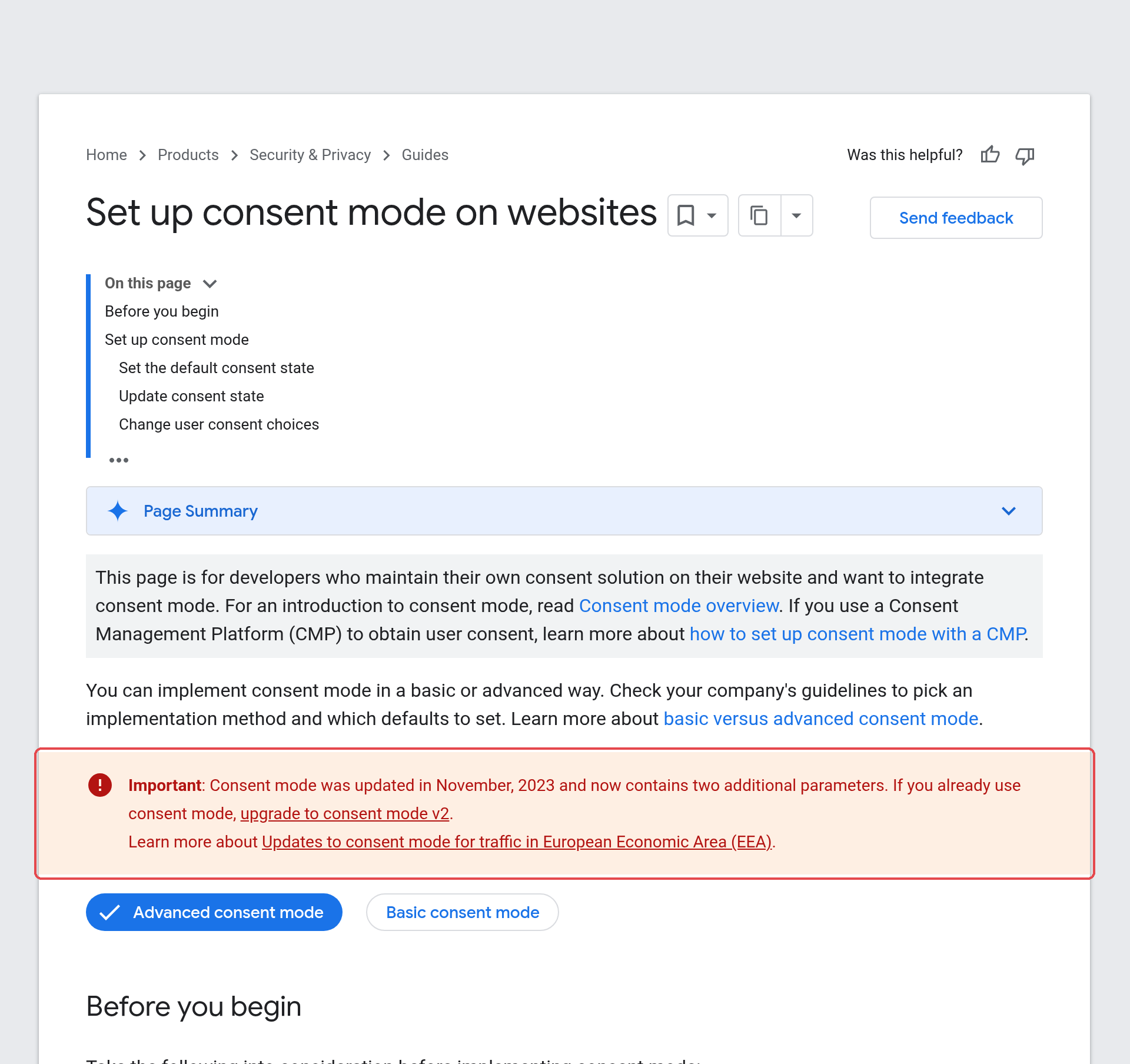
Consent Mode doesn't give you a banner. It passes your banner's answer to Google's tags. Google updated it in November 2023 with two new parameters, ad_user_data and ad_personalization, and that version is what people call v2. Google ties it to its EU user consent policy for traffic from the European Economic Area.
The setup that matters:
- Set every consent type to "denied" by default before any tag loads, and update it when the visitor chooses. Google warns that defaults won't work if the consent code runs out of order.
- Scope the defaults to the regions where you show a banner, as Google recommends.
- Persist the choice, so returning visitors aren't asked again on every page.

Then pick a mode. In basic mode, Google tags don't load until the visitor interacts with the banner, and nothing is sent if they refuse. In Advanced mode, tags load straight away and send cookieless pings while consent is denied, which feeds Google's conversion modelling.
Advanced mode recovers more measurement, and it's the one your ad agency will push. It also means data goes to Google before the visitor has said yes. For Indian traffic, I'd start in Basic mode and move to Advanced mode only after your lawyer has signed off on what those pings contain.
Step 5: A/B test without breaking compliance
You can A/B test a consent banner. The rule is that every variant has to be one you'd be happy to defend on its own.
- Test only compliant variants. Wording, colour within limits, layout and timing are fair game. The presence of Reject isn't.
- Change one thing at a time, and keep the cookie list and purposes identical across variants.
- Run full weeks so weekday and weekend traffic are both in the sample.
- Tag every consent record with the banner version, so you can show a regulator which text each visitor saw.
- Stop a variant that raises complaints or withdrawals, even if its consent rate is higher.
If you're choosing a cookie banner tool that allows contextual consent and A/B testing of consent banners, look for one that versions banners and links each consent receipt to the version shown. Our comparison of consent management platforms for India covers which tools do this.
Measure it: consent rate, revenue impact, audit trail
A single "consent rate" hides too much. Track four numbers per banner version: accept-all rate, reject-all rate, custom-settings rate and no-interaction rate. If most visitors never touch the banner, a consent rate worked out only from the people who clicked will flatter you.
Published experiments give you a sense of scale, read as studies of design changes, not industry baselines. In a four-week field trial on a Danish B2B website (1,493 visitors), Bauer and colleagues found acceptance rose from 20% to 37%, a 17-point gap, when Accept became a large green button, Reject a link buried in the text and the wording stressed the benefits of cookies. In a French study of 3,947 participants, Bielova and colleagues found labels spelling out the consequence ("Accept to be tracked", "Continue without being tracked") raised refusal or personalisation from 16% to 46%. With the removal experiments above, design alone moved results by 13 to 30 points, roughly the range you're testing within.
For revenue, compare conversion rate and revenue per session between variants. Your analytics will undercount the reject group by design, so use backend order data or modelled conversions for a fair comparison.
For the audit trail, keep a receipt for every choice: timestamp, banner version, purposes granted or refused, and how to withdraw. That's what lets you answer a complaint, and under DPDP it's how you show consent was given at all.
Common mistakes

- Firing tags before the choice. The banner says "denied" but the analytics script loaded on page view.
- Calling marketing cookies "essential". The EDPB report flags it and expects you to justify each "essential" cookie.
- A cookie wall with no fair alternative. The EDPB's consent guidelines say an Accept-only wall isn't valid consent. Since France's Conseil d'État ruled in June 2020 that walls can't be banned outright, CNIL assesses them case by case and expects a real, fair alternative, at a reasonable price if it's paid.
- No way back. If withdrawing means emailing support, you fail Section 6(4) of the DPDP Act and GDPR Article 7(3).
- Copying a GDPR banner to India without the language option or the Rule 3 notice elements. See managing cookie consent across multiple regions.
India's consumer regulator has its own rulebook here. The Central Consumer Protection Authority's Guidelines for Prevention and Regulation of Dark Patterns, 2023 list 13 specified dark patterns, issued under the Consumer Protection Act, 2019. They don't mention cookies, but I'd expect a manipulative banner on an Indian consumer site to be judged against them.

For the full list of patterns regulators flag, read our post on dark patterns in cookie banners, and if you've already failed an audit, how to fix cookie banner compliance.
Start with one test this week
Pick the cheapest safe change: rewrite your headline and replace "Accept necessary" with "Reject all". Run it for two full weeks against your current banner, with every consent record tagged by version, and compare all four rates plus revenue per session.
If you'd rather run that test on a banner that scans your cookies, blocks tags until consent and versions every receipt, book a Redacto cookie consent demo.